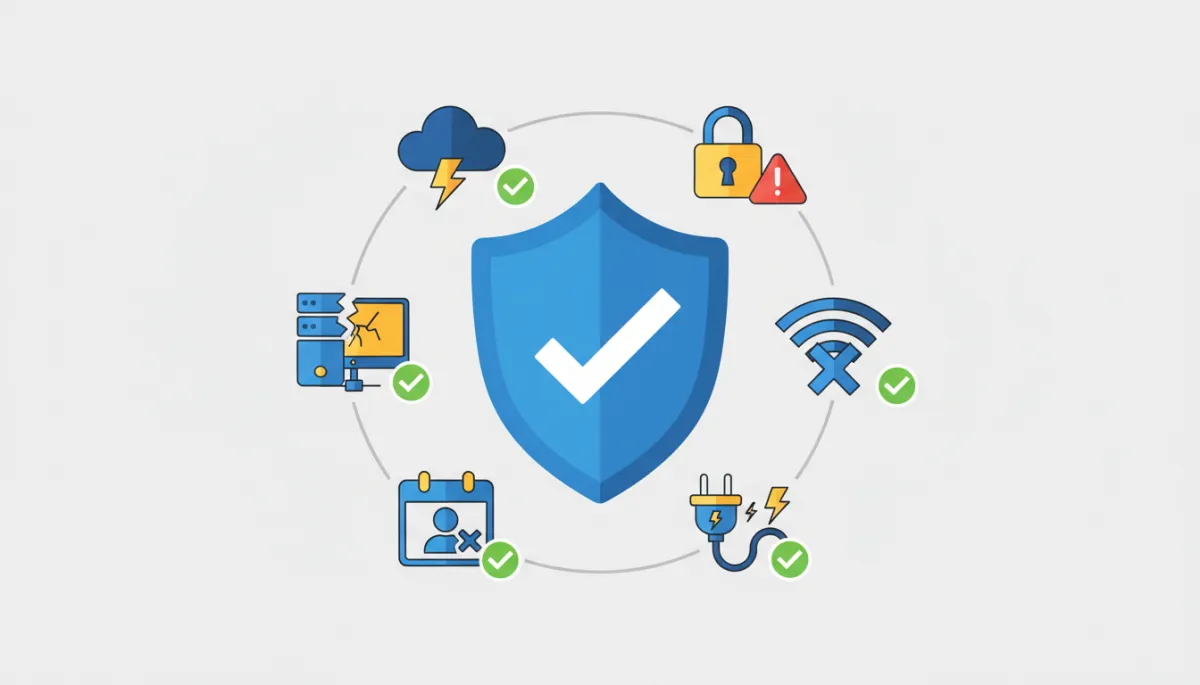
Business Disruptions Are Inevitable. How Prepared Is Your Business? - Copy
Article Summary: Business disruptions rarely arrive with advance notice. A downed internet connection, an absent employee, or a backup that fails at the wrong moment can stop work fast. This guide walks through the most common disruptions small businesses face and explains what practical preparation actually looks like.
Disruptions happen in every business. A downed internet connection cuts off access to customer records. A key employee is suddenly unavailable with no backup in place to cover payroll. Someone deletes the wrong file, and the backup that was supposed to protect against exactly this situation turns out to be months old and completely useless.
None of these look like disasters in the traditional sense, but they stop work, delay customer service, and leave teams searching for answers. The businesses that recover quickly aren't necessarily larger or better-funded than the ones that struggle. They simply had a plan in place before the disruption arrived.
Preparation doesn't require a massive technology budget or a dedicated IT department. It starts with understanding which disruptions are most likely to affect your business and having a clear, practical plan in place for each one.
Cyberattacks and Ransomware
A cyberattack can block your team's access to the files and systems they depend on to do their jobs, sometimes within minutes of the attack beginning. Work stops, customers experience delays, and the pressure to get things back online quickly can lead to decisions that create new problems.
The most practical starting point is building a basic incident response plan before an attack happens. That means deciding in advance who gets contacted first, who has the authority to make key decisions, and which systems need immediate attention. It also means testing your backups on a regular basis, not just setting them up and assuming they'll work. A backup that has never been tested under real conditions is an assumption, not a safety net.
Employee awareness deserves just as much attention as your technical defenses. Cybercriminals regularly target employees because people are often easier to reach than a well-configured system. A suspicious email link, an unsafe attachment, or a stolen login credential can give an attacker everything they need. Making sure your team knows what to watch for and how to report something unusual is one of the most valuable investments a small business can make.
Hardware and Software Failures
Devices and software applications fail without warning, and when they do, your team is stuck waiting. Depending on what went down and how prepared you were, that wait can stretch into hours.
The fundamentals here are consistent: back up your data regularly, document the steps your team should take when something fails (including who to contact), and test your recovery process before you actually need it. A process that exists only on paper but has never been walked through in practice is far less reliable than one your team has actually used.
Human Error
Even careful, experienced employees make mistakes. A file gets deleted, a sensitive email lands in the wrong inbox, or someone adjusts a setting that breaks a critical process downstream. These things happen in every business, and having practical habits in place can significantly limit how much damage a single error causes.
A few of those habits are worth highlighting:
Limit access. Give employees access only to the files and systems they need for their specific role. The fewer opportunities for an error to reach sensitive data, the better.
Document recovery steps. Your team should know who to notify and how to restore a file, setting, or process when something goes wrong. That knowledge shouldn't live only in one person's head.
Train employees regularly. Help your team understand how to handle important data, when to pause and double-check their work, and when to ask for help rather than proceed on their own.
Internet and Cloud Service Outages
When the internet goes down or a cloud service experiences an outage, your team can lose access to customer records, internal communication tools, and core business applications all at once. The disruption can feel total, even when it's temporary.
Having a backup connection available, whether that's a secondary internet line or a reliable mobile hotspot, can keep critical work moving during an outage. It's also worth identifying in advance which tasks your team can handle without internet access and making sure they have what they need to keep that work moving. A clear communication plan that covers how your team stays in touch internally and when customers should be notified prevents confusion from compounding the problem.
Severe Weather and Natural Disasters
Storms, floods, and other weather events can close offices, knock out power, and prevent employees from physically reaching the workplace. Recovery can take hours or days, particularly when backup systems weren't in place in advance.
Remote work capability is one of the most practical protections a business can build. When your employees have the tools, access permissions, and processes they need to work from a different location, a closed office becomes a temporary inconvenience rather than a full operational shutdown. Storing data backups offsite or in the cloud ensures that physical damage to a building doesn't result in permanent data loss. A written business continuity plan that your team has reviewed and knows how to act on ties all of those elements together.
Key Employee Unavailability
This one catches more business owners off guard than almost any other disruption on this list. When the one person who runs payroll, manages a vendor account, or knows the steps to handle a specific client process is suddenly unavailable, work can stall even when everything else is functioning normally.
The answer is straightforward, though it takes intentional effort to build:
Document critical processes. If a task depends entirely on one person's knowledge, write down the steps clearly enough that someone else could follow them. That documentation is operational insurance.
Cross-train your team. Make sure at least one other person knows how to handle the responsibilities that matter most to daily operations.
Manage credentials securely. Store login details and account access information in a secure, approved system rather than relying on one person's memory or personal device.
Build the Plan Before You Need It
You can't predict every outage, failure, or unexpected absence, but you can control how ready your business is when one of those things happens. A plan that exists before a disruption occurs changes the recovery experience entirely. Your team can act with confidence rather than improvise under pressure.
Preparation means replacing uncertainty with a plan your team can rely on. When responsibilities are clearly documented, recovery steps are tested and familiar, and everyone knows their role when something goes wrong, your business responds from a position of readiness rather than confusion.
If you want help preparing your business for any of these disruptions, click here to schedule a quick 26-minute call. We'll help you build a business continuity plan that keeps your business prepared and ready before disruptions occur.
Article FAQs
Q: I have some of these things partially covered. Is that enough, or does every area need a complete plan?
Partial preparation is meaningful, and it's how most businesses build resilience over time. Having a backup in place, even if it hasn't been tested recently, is more than many businesses have. The most important step is identifying which gaps create the greatest risk for your specific situation and addressing those first. A plan doesn't need to cover every scenario perfectly on day one. It just needs to be actionable, documented, and familiar to the people who will use it.
Q: How often should we revisit or update our business continuity plans?
At a minimum, review your plans once a year. That timeline should be moved up any time something significant changes in your business, such as new software, a staffing change, a shift to remote work, or a new location. Plans that aren't reviewed regularly have a way of becoming outdated quickly, and an outdated plan can introduce confusion at exactly the moment when clarity matters most.
