AI Note-Takers: Who Can See Your Meeting Recordings?
Article Summary: AI note-takers make meetings more productive by recording conversations, creating transcripts, and summarizing key points. Before introducing one into client or staff meetings, it is important to understand where those recordings are stored, who can access them, whether your data is used for AI training, and how to use these tools responsibly.
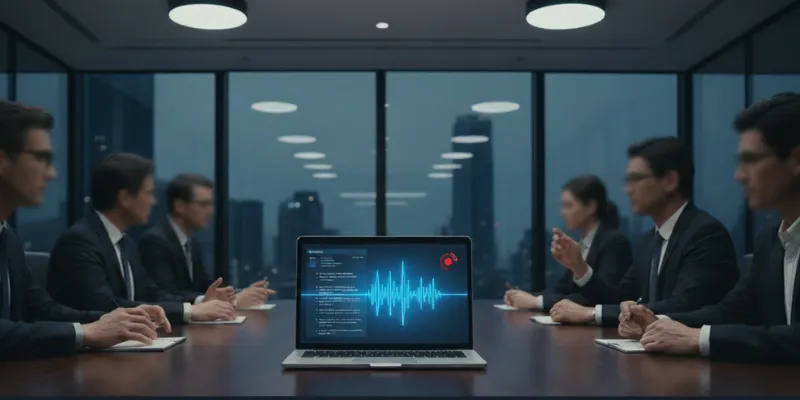
AI note-takers have quickly become part of everyday business. With just a few clicks, they can join a Teams, Zoom, or Google Meet call and record the conversation. They can create a transcript and deliver a summary with action items shortly after the meeting ends.
It's clear why companies are adopting these tools. They save time, reduce the need for manual note-taking, and help teams stay organized. Many businesses begin using these tools without first considering an important question: Where does all that meeting information go?
Every recorded meeting creates a permanent record of the discussion. Depending on the tool you use, that recording may be stored inside your own Microsoft or Google environment or on the vendor's servers. Before allowing an AI note-taker into client meetings, leadership discussions, or confidential conversations, it's worth understanding exactly how it handles your information.
What an AI Note-taker Actually Does
An AI note-taker records a meeting, converts speech into text, and generates a summary of what was discussed. Many also identify action items and make transcripts searchable, allowing teams to revisit conversations whenever needed.
Popular tools include Microsoft 365 Copilot in Teams, Otter, Fireflies, and Fathom. While they perform similar tasks, they do not all manage recordings and data the same way.
Many note-taking tools connect to your calendar so they can automatically join scheduled meetings. Unless those settings are changed, some bots may join meetings without anyone deliberately choosing to start a recording.
The recording does not disappear when the meeting ends. Instead, it is typically stored in the cloud, where it can be searched, shared, or downloaded later. Where that information is stored depends on the platform you choose.
Who Can Access Your Recordings?
The first people who may see a meeting recording are those you intentionally share it with. Many AI note-takers automatically send transcripts or summaries to everyone who attended the meeting. Some even send them to people who were invited but never joined the call.
There is another layer that business owners should consider.
When using a third-party note-taking service, recordings are often stored on the vendor's own servers. That means access to the information is governed by the terms you agreed to when using the service. If an employee connected the tool using their own account, the recording may also be stored in an environment that the business does not directly control.
For businesses that regularly discuss confidential client information, employee matters, financial planning, or legal issues, understanding where recordings are stored is just as important as deciding whether they should be created in the first place.
Does the Tool Use Your Meetings to Train Its AI?
Not every AI note-taker handles customer data in the same way.
Microsoft states that Copilot in Teams does not use meeting content, prompts, or responses to train its AI models. According to Microsoft's privacy documentation, that information stays within your organization's Microsoft 365 environment.
Third-party tools can differ. Some store recordings on their own servers and, depending on the terms you accept, may use customer data to improve their AI models. Others state that they do not train their AI using customer information at all.
That is why it's worth reviewing the privacy terms before choosing a platform. Two tools that appear very similar may treat your meeting data very differently.
Why Consent to Record Matters
Recording a meeting is not always a decision one person can make on behalf of everyone involved.
Consent requirements vary depending on where participants are located. In some states, everyone involved must agree to the recording, while in others, only one participant needs to consent. In many situations, meeting recordings may also be treated as personal information, which means participants should be clearly informed that the recording is taking place and why.
The safest approach is also the simplest. Tell participants that the meeting is being recorded, explain why the AI note-taker is being used, and give them the opportunity to ask questions or object before recording begins.
This is especially important for client meetings, HR discussions, confidential financial conversations, or any meeting involving sensitive information.
How to Use AI Note-takers Responsibly
You don't have to avoid AI note-takers to protect your business. A few simple guidelines can help you enjoy the benefits while reducing unnecessary risk.
I recommend that businesses:
Choose one approved note-taking tool so that recordings are stored in a consistent location.
Turn off automatic meeting joins so recordings only begin when someone intentionally starts them.
Tell participants when meetings are being recorded and obtain consent where required.
Review how your chosen platform stores and manages meeting data before introducing it across the business.
Keep AI note-takers out of highly sensitive meetings unless there is a clear reason to record and everyone involved agrees.
If your business uses Microsoft 365, administrators can also control whether Copilot and transcription are available in Teams meetings. Having those settings managed centrally helps establish consistent rules across the organization.
Balancing Benefits and Security
AI note-takers can save time, improve follow-up, and help teams work more efficiently. Those advantages are real, but they should be balanced with an understanding of where meeting information is stored, who may have access to it, and how your chosen platform manages customer data.
The best technology decisions are informed ones. Taking a little time to understand how an AI note-taker works before introducing it into your business can help protect confidential information while allowing your team to benefit from the productivity these tools provide.
If you'd like a clearer view of how meeting recordings and AI tools are affecting your risk, click here to schedule a quick 26-minute call. We'll help you adopt AI note-takers and other collaboration tools in a way that aligns with your security, privacy, and compliance requirements.
Article FAQs
Can an AI note-taker join a meeting automatically?
Yes. Many AI note-takers can connect to a user's calendar and automatically join scheduled meetings. Most tools allow this feature to be turned off so that recording only starts when someone intentionally enables it.
How can my business use AI note-takers more safely?
Choose one approved platform, disable automatic meeting joins, let participants know when meetings are being recorded, understand where your meeting data is stored, and avoid recording confidential meetings unless there is a clear reason and everyone involved has agreed.
