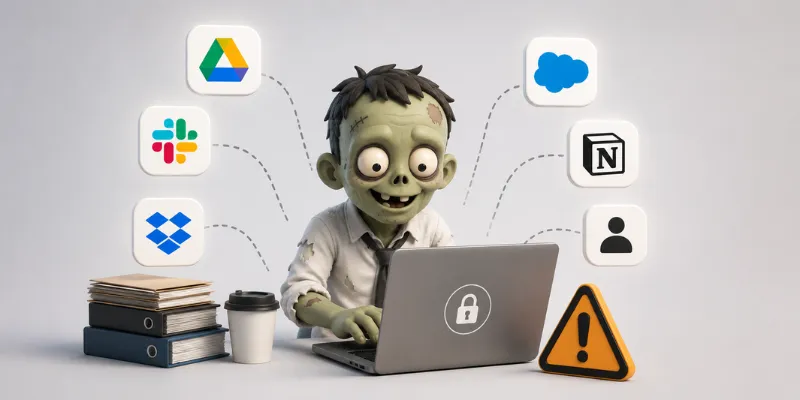
Zombie SaaS Accounts: The Security Gap Most Businesses Don’t Notice Until It’s Too Late
Article Summary: Most businesses shut off a departing employee’s email quickly, but SaaS access often slips through the cracks. Zombie accounts, leftover logins, and permissions tied to former employees quietly create security and compliance risks that many businesses don’t discover until there’s already a problem.
Someone leaves the company on a Friday. By Monday, their email account is disabled, the laptop’s been returned, and the offboarding checklist looks complete.
At least on the surface.
What often gets missed are the dozens of other systems that employee used every day. The project management app they signed up for last year. The shared cloud folder connected to a personal account. The CRM access they still have from a previous role. Maybe even an AI tool the team started experimenting with during a busy season.
Months later, those accounts may still be active.
That’s how zombie SaaS accounts happen. Not because business owners are careless, but because most offboarding processes were built for a very different technology environment than the one companies operate in today.
Years ago, shutting down email and collecting company equipment covered most of the risk. Now, the average business relies on a long list of cloud applications spread across departments, devices, and employees. Some are managed by IT. Others aren’t even on IT’s radar.
And that’s where the problem starts.
What Is a Zombie SaaS Account?
A zombie account is an active login tied to someone who no longer works for your business.
The reason these accounts are dangerous is simple. They’re legitimate credentials. Nothing about them looks suspicious because the access was approved at one point. The system assumes the user still belongs there.
If those credentials are reused, compromised, or intentionally misused later, the access is already waiting.
For businesses in legal, financial, and healthcare industries, that risk can escalate quickly. Client records, financial documents, contracts, medical data, and internal communications often live inside these cloud platforms.
That’s the kind of exposure most leaders don’t think about until they’re forced to.
And honestly, that’s understandable. Most owners are focused on serving clients, managing staff, and keeping operations moving forward. They’re not spending their evenings wondering whether an old Notion account or Dropbox share link is still floating around.
But cybercriminals are counting on exactly that.
The Three Places Zombie Accounts Usually Hide
Cloud Storage and Collaboration Platforms
Google Drive, OneDrive, Dropbox, and SharePoint are some of the biggest trouble spots when it comes to leftover access.
These platforms make collaboration easy, which is great for productivity. But they also make it easy for permissions to spread quietly over time. Employees share folders externally, contractors get temporary access, and “anyone with the link” settings stick around long after projects end. Then an employee leaves, but the shared access never gets cleaned up.
That creates a problem most businesses can’t easily see. Someone outside the company may still have access to sensitive information months after they should’ve been removed.
Project Management and CRM Systems
Platforms like Salesforce, HubSpot, Asana, Monday.com, Jira, and Notion often create another layer of hidden exposure.
The issue usually comes down to ownership. Many of these tools are purchased or managed by department leaders instead of IT. A manager signs up for a platform to solve a workflow issue quickly, and before long, the tool becomes part of daily operations.
The problem is that nobody is tracking access centrally. So when an employee leaves, their account may stay active simply because nobody realized they still had it.
I’ve seen businesses shocked to discover former employees still had access to strategy documents, client notes, or financial information months after leaving. Not because anyone ignored security, but because the company grew faster than its processes did.
The Bigger Risk: Shadow IT
The most concerning category is often the software that IT never knew existed in the first place.
Employees sign up for tools constantly now. AI writing platforms. Survey tools. File converters. Data visualization apps. Scheduling systems. Browser-based productivity tools. Most of them only require a work email address to get started.
That means when someone leaves the company, the account may continue existing quietly in the background with zero visibility from leadership or IT. This is what many security professionals call Shadow IT.
And for regulated businesses, Shadow IT creates both security and compliance concerns. You can’t secure systems you don’t know about, and you can’t confidently pass audits if old access is scattered across unknown applications.
That’s why this issue matters so much now.
How to Run a Zombie SaaS Audit
The good news is that this problem is fixable.
You don’t need a massive overhaul overnight. You just need a structured process that gives your business visibility into where access exists and who still has it.
Step 1: Build a SaaS Inventory
Start by identifying the cloud applications connected to your business.
If you use Microsoft Entra ID, Google Workspace, or Okta, pull a list of connected applications and active users.
Then cross-reference that information with:
Billing records
Employee expense reports
Browser extensions
Login notification emails
Department software subscriptions
This process usually uncovers far more tools than leadership expects. That’s normal.
Step 2: Compare It Against Employee Departures
Next, pull a list of employee departures from the last 12 months and compare it against your SaaS inventory.
For every platform, ask:
Is this account still active?
When was the last login?
Does this user still need access?
What type of data lives inside this platform?
If someone no longer works for the business and still has access, flag it immediately for review and removal.
Simple steps like this can close major security gaps surprisingly fast.
Step 3: Build a Repeatable Offboarding Process
This is where businesses move from reactive cleanup to long-term control.
Strong offboarding today should include more than collecting devices and disabling email accounts. It should also include:
Quarterly SaaS access reviews
Multi-factor authentication on all critical systems
Visibility into Shadow IT tools
Centralized ownership of SaaS applications
Clear offboarding checklists for every employee exit
Because real cybersecurity isn’t about buying more software. It’s about creating systems your team can actually rely on when things get busy.
The companies handling this well aren’t necessarily the most technical. They’re the ones willing to slow down, clean up the chaos, and build consistent processes that grow with the business instead of falling behind it.
And honestly, that’s what good leadership looks like now.
Hidden Access Creates Real Risk
Most businesses don’t realize how many SaaS accounts, shared folders, and cloud applications stay active after an employee leaves until something goes wrong.
At qnectU, we help businesses simplify technology, strengthen cybersecurity, and build practical processes that reduce risk without slowing down operations.
If you’re unsure whether your offboarding process truly accounts for today’s cloud environment, click here to schedule a quick 26-minute call. We’ll help you identify where hidden access may still exist and what steps can improve visibility, security, and control moving forward.
Article FAQs
What is a zombie SaaS account?
A zombie SaaS account is an active login tied to someone who no longer works for your business. These accounts often remain connected to cloud platforms like CRMs, file-sharing systems, project management tools, or AI applications long after an employee leaves. Because the credentials were originally approved, they usually don’t trigger security alerts, making them easy to overlook and dangerous if compromised.
How often should businesses review SaaS access?
Most businesses should review SaaS access at least quarterly. Any employee departure should also trigger an immediate access review as part of the offboarding process. Regular audits help businesses identify old accounts, reduce security gaps, and maintain better visibility into the systems employees are using every day.
