Why Removing Local Admin Rights Reduces IT Tickets and Cybersecurity Risk
Article Summary: Removing unnecessary local admin rights helps businesses reduce cybersecurity risk, prevent avoidable IT problems, and create more stable, secure systems without slowing employee productivity.
Most business owners don’t think much about local administrator rights until something goes wrong.
Usually, it starts with a strange software issue, a machine acting unpredictably, or a cybersecurity event that suddenly turns into everyone’s problem. Then the cleanup begins. IT starts tracing changes, removing unauthorized software, rebuilding systems, and trying to figure out what happened in the first place.
I’ve seen this pattern play out for years, especially in businesses where teams are already stretched thin and technology problems create ripple effects fast.
Here’s the thing: a lot of those issues start because users have more access than they actually need.
That’s why removing local admin rights is still one of the simplest and most effective ways to reduce support tickets, improve cybersecurity, and create a more stable work environment. It’s not flashy, but it works.
Why Local Admin Rights Create Bigger Problems Over Time
Local administrator rights allow users to install software, change system settings, disable protections, and make elevated changes to their computer.
Years ago, many businesses allowed this because it felt faster and more convenient. Employees could install tools themselves, troubleshoot small issues, and avoid waiting for IT support.
But over time, those “small conveniences” create much bigger operational problems.
Machines slowly drift away from approved standards. Security settings get changed. Unapproved software appears across the network. Troubleshooting becomes harder because every device is configured differently.
That’s when ticket volume starts climbing.
One employee installs a browser extension that conflicts with another application. Someone disables security software because they think it’s slowing down their laptop. Another user changes network settings while trying to fix a printer issue and accidentally creates a bigger problem.
Now IT has to untangle the mess.
The goal isn’t to make work harder for employees. It's to create an environment where systems stay reliable, secure, and predictable so your team can stay productive without constant interruptions. That’s what good IT leadership looks like.
The Cybersecurity Risk Most Businesses Overlook
A lot of cybersecurity conversations focus on firewalls, antivirus tools, and phishing training. Those things absolutely matter. But one of the biggest risk multipliers inside many businesses is still unrestricted admin access.
According to the BeyondTrust Microsoft Vulnerabilities Report, removing administrative privileges could have mitigated 75% of all Critical Microsoft vulnerabilities between 2015 and 2020. That’s a massive number.
The reason is simple. Most serious malware and ransomware attacks rely on elevated permissions to fully execute.
A standard user account limits what an attacker can do after gaining access. An admin account gives them much more control over the machine and, potentially, the network.
For businesses handling sensitive client information, that difference matters more than ever.
The IBM Cost of a Data Breach Report 2025 found the average US data breach now costs $10.22 million. That’s the kind of risk no business owner wants to explain to clients, partners, or regulators after the fact.
And while no single security measure eliminates risk completely, reducing unnecessary admin access is one of the smartest ways to shrink your exposure without creating unnecessary complexity.
The Three Types of IT Tickets That Often Disappear
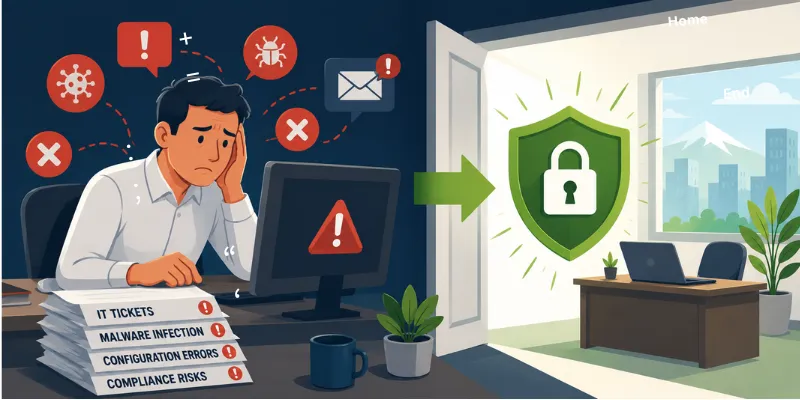
When businesses remove unnecessary admin rights, three major categories of support tickets usually shrink almost immediately.
Malware Cleanup and Recovery
Most ransomware and advanced malware need elevated permissions to spread, disable protections, or encrypt large portions of a network.
When users operate under standard accounts, infections are often contained to a single profile instead of becoming a company-wide event.
Instead of rebuilding multiple systems and dealing with days of downtime, IT can usually isolate the issue faster and minimize disruption to the business.
Self-Inflicted Configuration Problems
This one happens constantly.
An employee tries to fix a problem themselves. They uninstall software, modify settings, remove drivers, or adjust configurations they don’t fully understand. Then something else breaks, and IT has to figure out what changed without any visibility into the process.
Removing admin rights dramatically reduces these situations because users simply can’t make high-impact changes without approval.
Compliance and Software Drift
This matters even more for regulated industries.
When users freely install software or modify systems, devices slowly move away from your approved security baseline. That creates problems during audits, cybersecurity reviews, compliance assessments, and even cyber insurance renewals.
For businesses dealing with HIPAA, FINRA, ABA guidance, or vendor security requirements, consistency matters.
Standardized systems are easier to secure, easier to support, and easier to document. That creates a smoother operational environment and reduces long-term stress on both leadership and IT teams.
“But My Team Needs Admin Access”
This is usually the first concern business owners raise, and honestly, it’s a fair one.
Sometimes employees genuinely do need elevated permissions for specific tasks. But permanent admin access usually isn’t the best answer anymore.
Most modern businesses now use just-in-time elevation, often called JIT elevation.
Here’s how it works. An employee requests temporary admin access for an approved task. IT or an automated policy grants the elevation for a limited amount of time, and the permissions expire automatically afterward.
The employee stays productive, and IT keeps visibility and control.
That balance matters because you don’t want security measures creating unnecessary friction for your team. You just want enough structure and oversight to reduce preventable problems before they become expensive disruptions. That’s the sweet spot.
The Bigger Leadership Conversation Behind This
At the end of the day, this really isn’t just about admin rights. It’s about operational maturity.
The businesses growing confidently right now aren’t relying on luck or reactive fixes anymore. They’re building systems their teams can trust. Clear processes. Stable environments. Smart controls that reduce chaos before it starts.
That’s what allows leaders to focus on growth instead of constantly putting out fires. You didn’t start your business to babysit technology problems. You started it to serve clients, lead your team, and build something meaningful.
Technology should support that mission, not quietly work against it in the background. Click here to schedule a quick 26-minute call today to get clarity on where risk might still exist.
Sometimes the smartest cybersecurity decisions are also the simplest operational ones. Removing unnecessary admin rights is one of them.
Article FAQs
Will employees notice when local admin rights are removed?
Most employees won’t notice much difference because their normal daily work doesn’t require admin access. When elevated access is needed, a just-in-time approval process can handle those requests safely without disrupting productivity.
Does removing local admin rights improve cybersecurity?
Yes. Limiting administrative privileges reduces the ability of malware, ransomware, and attackers to make high-level system changes. It also helps businesses maintain more consistent endpoint security and compliance standards.
